

 There are thousands... millions... of places you get links to point at your website, but not all links are equal. So before wasting time and money chasing links of little to no value, make sure you have all the great valuable links pointing your way and pointing as efficiently as possible. Your LinkedIn profile is a GREAT source for good links.
This Article covers you Personal Profile. Company Profiles are another great area to maximize, but for now... let's keep it simple.
Are you Visible in Search?
The first thing we need to do is make sure your profile is visible for search engine spiders. You want search engine spiders crawling all over your linkedin profile, but if your privacy settings are wrong... game over.
- Login to your linkedin.com profile. If you don't have one... make one. Otherwise, this tutorial is useless to you :)
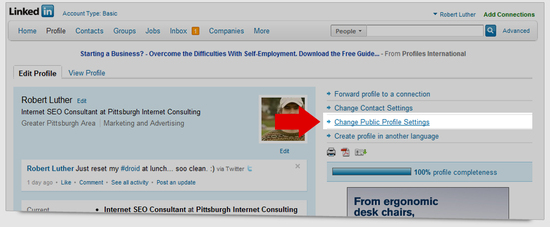
- Click on, Change Public Profile Settings
- There are several options in here and they can all be valuable in establishing a theme to your profile. The most important ones for you to worry about right now are:
- FULL VIEW
- Summary
- Websites.
Planning & Strategy
Ok, first part is done. Your profile is now able to be crawled by search engine spiders. SCORE! Now we need to build a theme to your profile. I am not talking color and stye, I am talking topic. Start by selecting a term that is relevant to your industry. I will pick Internet Marketing for mine. I live in Pittsburgh, so specifically my term will be Pittsburgh Internet Marketing. Let's see where I rank on Linkedin for that term.
- Goto http://www.google.com
- Enter query:
pittsburgh internet marketing site:http://linkedin.com/in/
- Find my listing. As of this publication I am ranked 39! Yikes! I have neglected my profile for far too long!
Now that we see I need some serious work on my profile, we need to know what exactly it is that needs done. So, to start, let's examine the key word density of my profile and the #1 spot profile. I can do this with an awesome free tool at webconfs.com.
- Enter the URLs in a keyword density checker.
- Enter both URLS
- http://www.linkedin.com/in/seoapril
- htto://www.linkedin.com/robbluther
- Review the results
#1 SEOAPRIL
| Keyword | Count | Density |
| pittsburgh | 18 | 7.53% |
| seo | 17 | 7.11% |
| april | 11 | 4.6% |
| marketing | 10 | 4.18% |
| internet | 7 | 2.93% |
My #39 Profile
| Keyword | Count | Density |
| robert | 17 | 3.89% |
| luther | 16 | 3.66% |
| marketing | 11 | 2.52% |
| internet | 8 | 1.83% |
| search | 8 | 1.83% |
We can learn a LOT from this information. Look: Pittsburgh, Internet, and Marketing are all in the top five keywords in April's profile. Not mine. I am missing Pittsburgh. My density is also much weaker than April's. This give me an IDEAL starting spot. We need to boost my keyword density.
- Edit my profile summary
- Use a keyword density tool to rewrite my profile with a stronger keyword density
- Add Specialties
- Edit my Professional Title
Edit My Summary
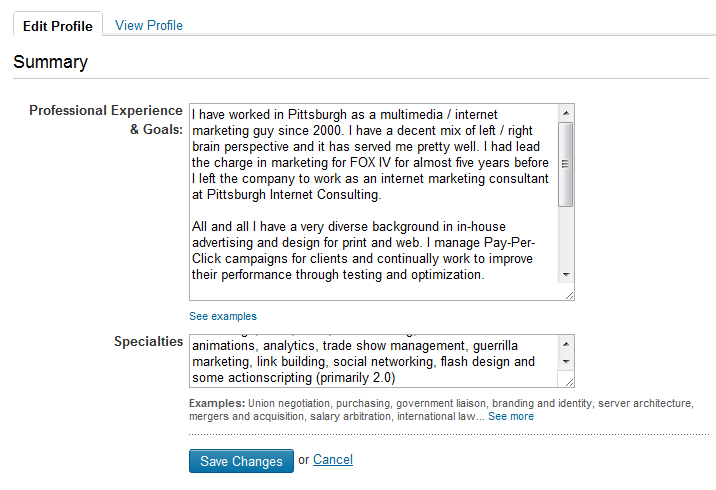 To bump up my density, let's start with the profile summary. I am going to rewrite it. I can use this keyword analysis tool to help me get a feel for my keyword density in REAL time.
Current Ratios
- Pittsburgh .8%
- Internet 1.7%
- Marketing 2.5%
I am strongly lacking in my Pittsburgh term. So I rewrite my summary and revamp my specialty area and get these results:
New Ratios
- Pittsburgh 2.5%
- Internet 2.5%
- Marketing 3.3%
Ok. I am on the right track. Now, if I check my overall profile density again, this is what I get:
| Keyword | Count | Density |
| robert | 17 | 3.86% |
| luther | 16 | 3.64% |
| marketing | 12 | 2.73% |
| pittsburgh | 9 | 2.05% |
| internet | 9 | 2.05% |
Ok have improved my keyword density and optimized my titles. I don't want to get too carried away with worrying about the density because there are factors that will totally change the density - If you link your blog... if you link your twitter account.
Edit Professional Headline
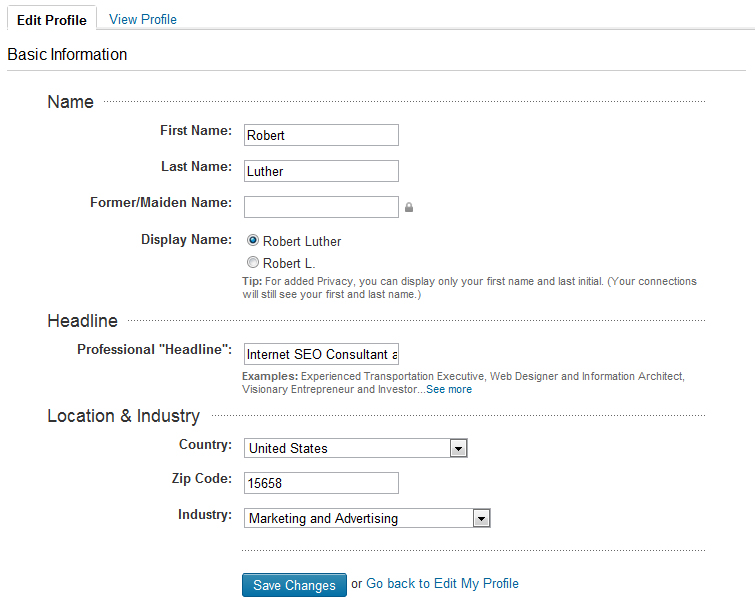
We can edit our professional headline to get a bump in our target terms also.
Now the (Link) Juicy Part
Great, so we have done a lot to develop a theme in my profile so far but the best is yet to come! The real reason I am making this tutorial- LINKS! LinkedIn.com is kind enough to allow us three links in our profile.
- Edit your Website links in your profile
- Add Branded Anchor Text
- Add two more links with targeted anchor text
- Add Interests to target your key term
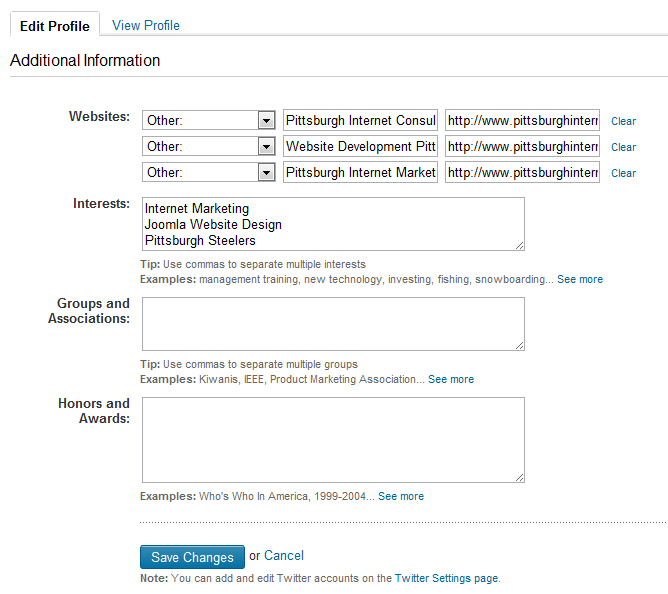
We have several options to label these links:
- Personal Website
- Company Website
- Blog
- RSS Feed
- Portfolio
- Other
Really, all I am interested in is OTHER. This will allow me to add my own anchor text (The text you click on to get to where you are going) The other options are vague and generic and not very user friendly. Now, there is a good chance that Google is going to start putting a lot of value into Brands. So we definitely want to use one of the links to help build our Brand awareness. The remaining links I can use to target key terms and deep link into my website. I am doing it like this:
- Pittsburgh Internet Consulting (Our Company Name) to http://www.pittsburghinternetconsutling.com
- Website Development Pittsburgh to http://www.pittsburghinternetconsulting.com/consulting/website-design.asp
- Pittsburgh Internet Marketing (My targeted term) to http://www.pittsburghinternetconsulting.com/marketing/
There is also an Interests section. In here, I can tag my key term again buy adding a few Interests:
- Internet Marketing
- Joomla Website Design
- Pittsburgh Steelers
Optimized but not forgotten
Almost for sure, I will not get to number one on my first try. So mark your Calendar for three week. Go back and check your profile ranking. The important part is we now have some great links pointing back to your website. The better your site ranks for your desired key term, the more authority it will pass along with it.