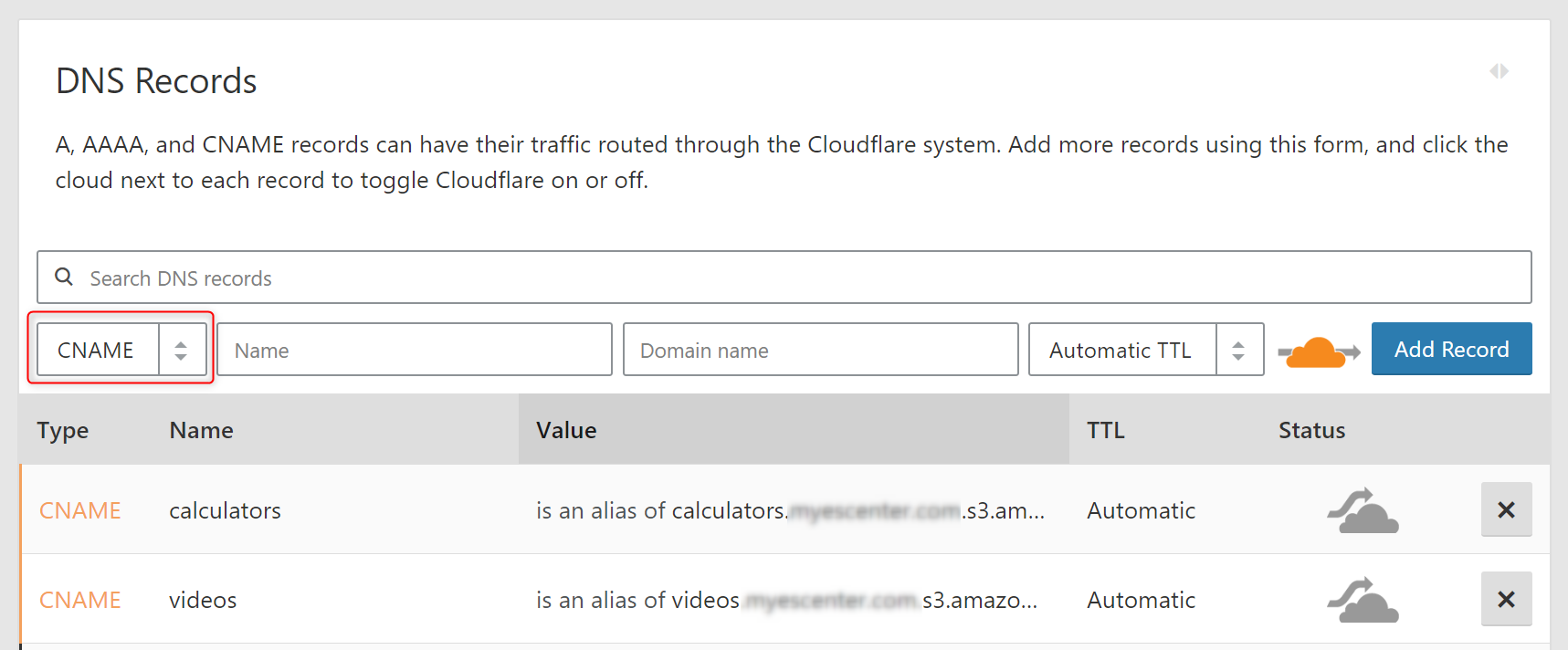


The client wanted to create a file server for training documents including MP4, PDF, PPT, WMV, etc. that was accessible through different sub domains. DNS managed through Cloudflare.
In Amazon's S3 dashboard, create a bucket that matches the subdomain you want to use.
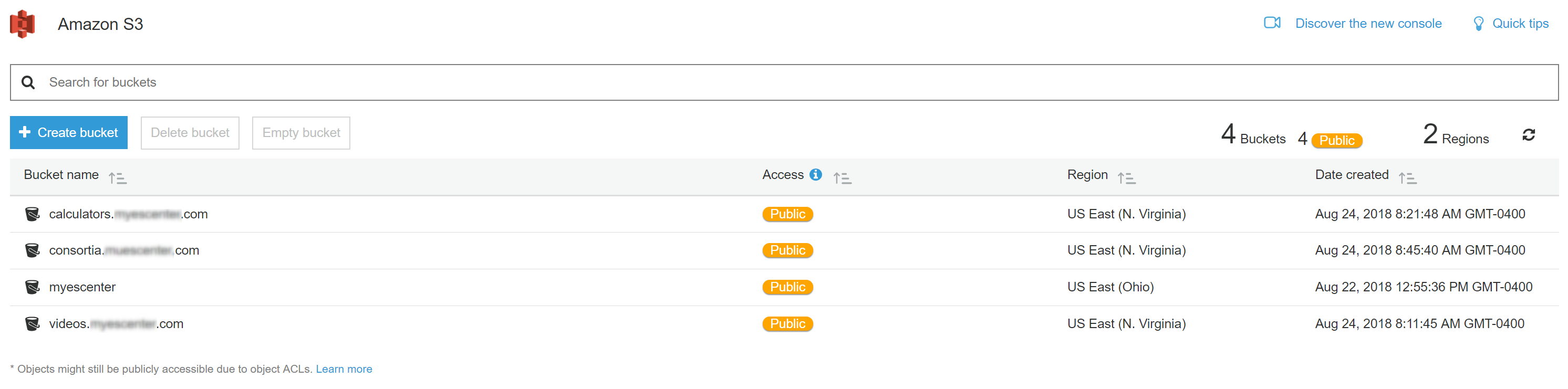
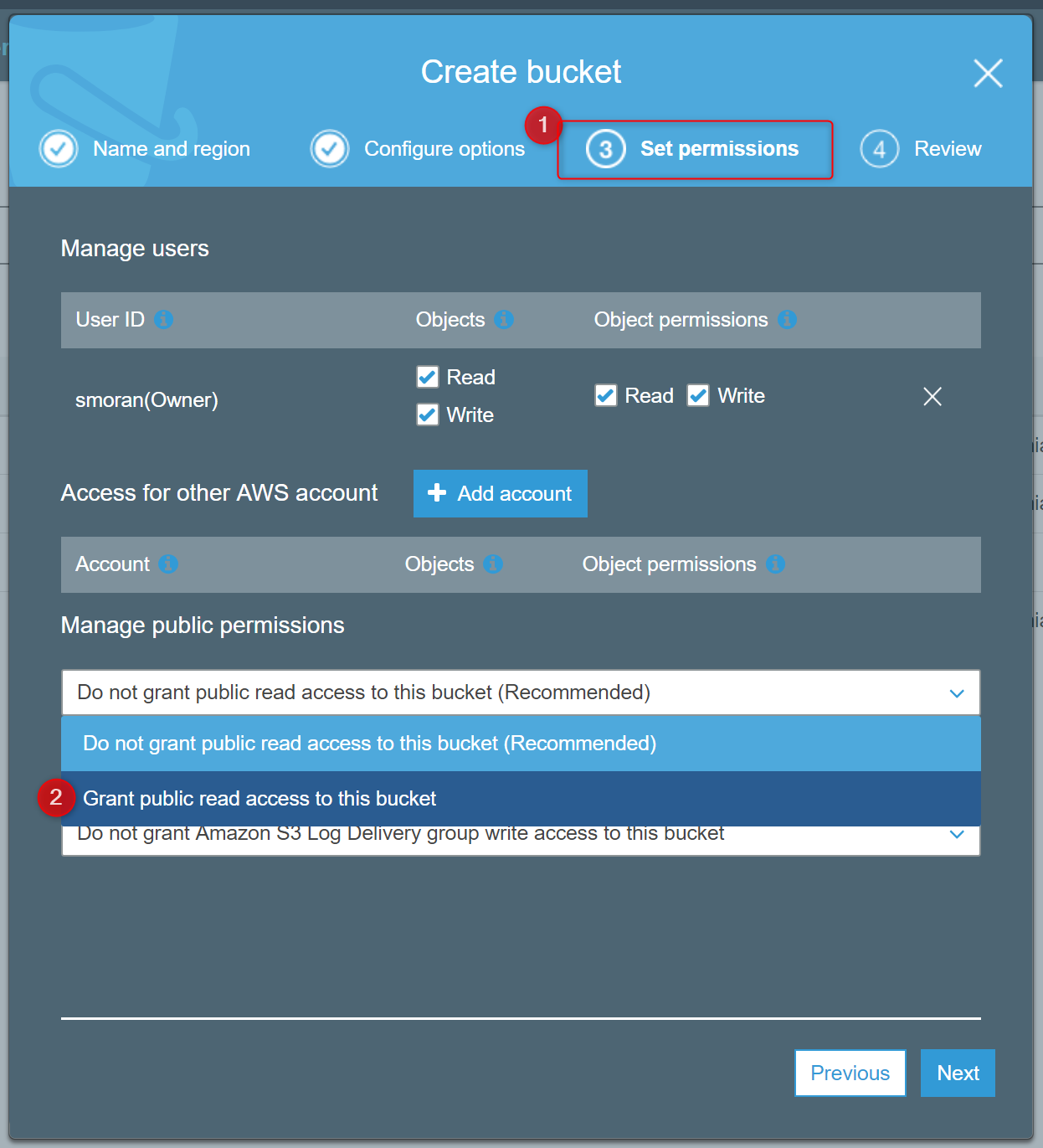
For example, videos.domain.com sub domain would need a matching bucket, videos.domain.com. Make sure the created bucket is set to PUBLIC.
Left click on the bucket to open it. Go to Permissions and CORS configuration.
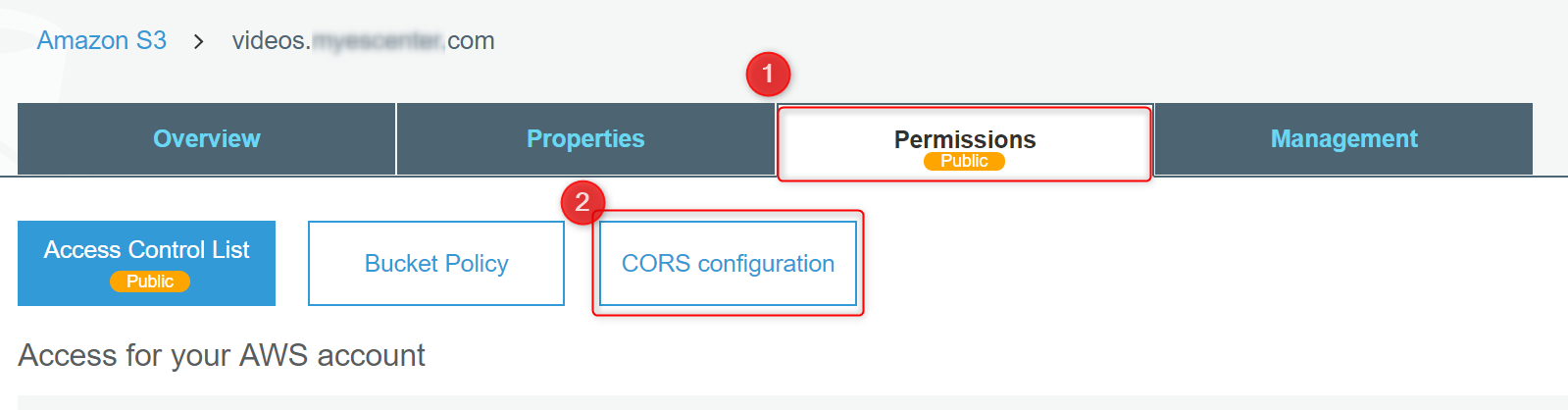
Inside CORS configuration, you will need to add this information configured for your subdomain:
<?xml version="1.0" encoding="UTF-8"?>
<CORSConfiguration xmlns="http://s3.amazonaws.com/doc/2006-03-01/">
<CORSRule>
<AllowedOrigin>http://videos.domain.com</AllowedOrigin>
<AllowedMethod>PUT</AllowedMethod>
<AllowedMethod>POST</AllowedMethod>
<AllowedMethod>DELETE</AllowedMethod>
<MaxAgeSeconds>3000</MaxAgeSeconds>
<ExposeHeader>x-amz-server-side-encryption</ExposeHeader>
<ExposeHeader>x-amz-request-id</ExposeHeader>
<ExposeHeader>x-amz-id-2</ExposeHeader>
<AllowedHeader>*</AllowedHeader>
</CORSRule>
</CORSConfiguration>
Cloudflare Configuration
You will need to create a CNAME record. Set the name as the subdomain, in our example, this is video.
The Value would be: video.domain.com.s3.amazonaws.com