


Here is how to allow PIC as an authorized user in your Google Analytics account.
1. Log into your Google Analytics account
2. On the bottom right side of the page, click "Admin"

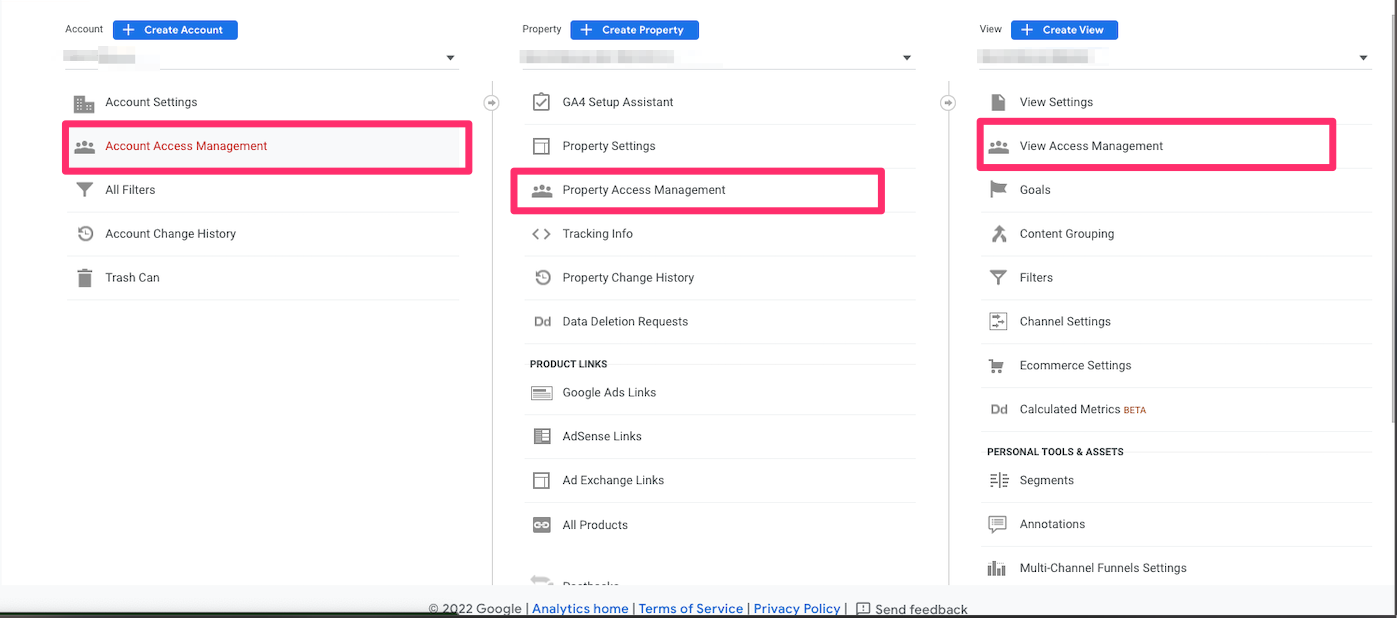
3. Under the Account column, click "Account Access Management"
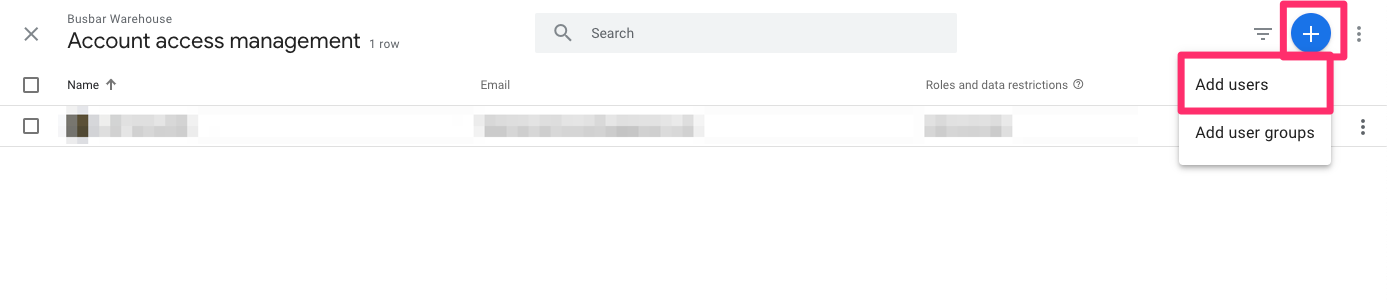
4. Click the blue "+" button and select "Add Users"
5. Enter the email pghinternetconsulting@gmail.com and select the Administrator role
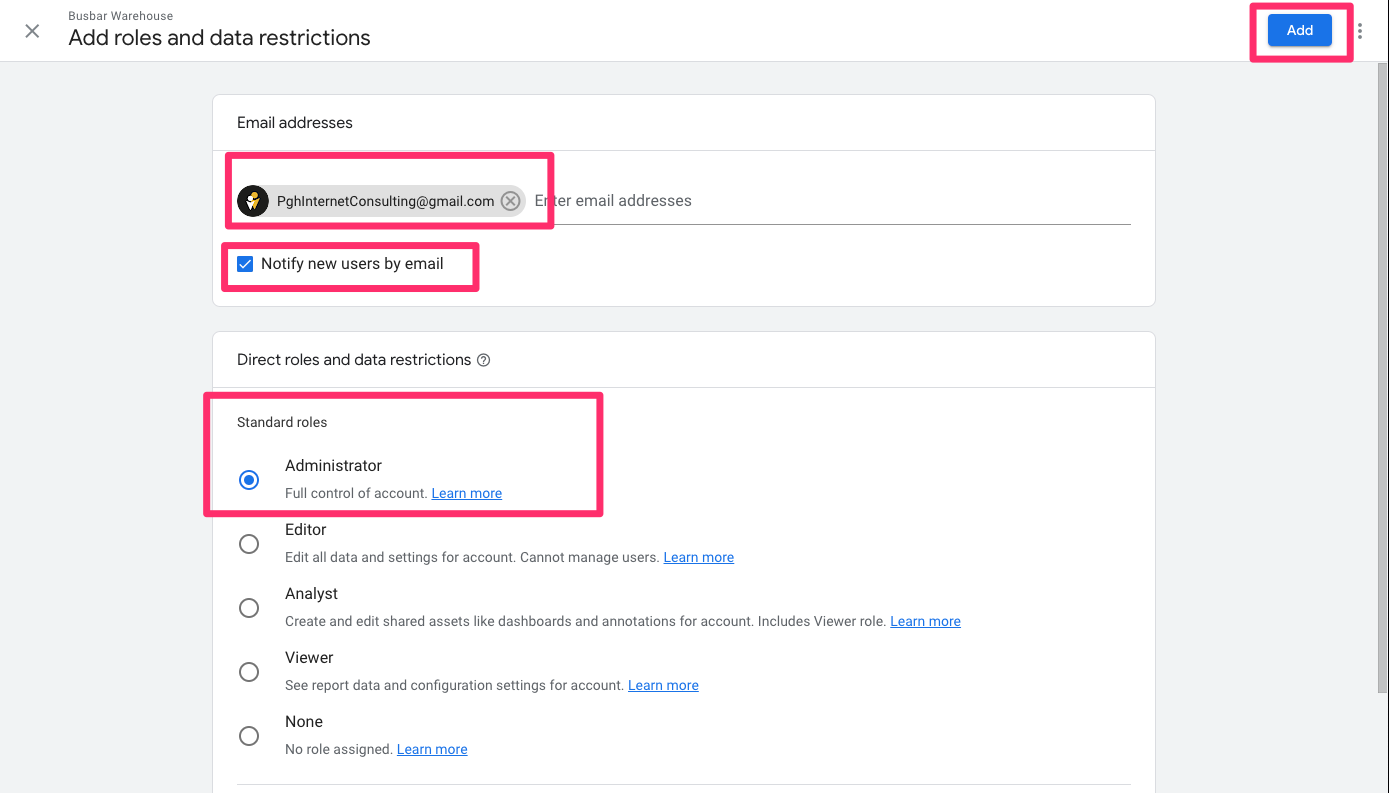
6. Click "Add" to finish and confirm the new user appears in the access list